
Your race results, live on your screens
On race day the rankings reach the club's screens on their own, heat after heat. No more sheets to print, no more board to staple, no more volunteer posted at the printer. Your drivers see their position on the wall, and on their phone.
What a notice board really costs you
In almost every club, race day goes like this. A heat ends. The results come out of the printer. Someone goes to fetch them. They staple or magnet them onto a board. Then they start again at the next heat, all day long.
That ties up a volunteer from morning to night. It burns reams of paper. And during the five minutes the sheet travels from the printer to the board, nobody knows anything.
Pitboard Live removes that trip. The rankings go from the timing system to the club's screens in two minutes, without anyone touching them. The volunteer can go back to the track.
How it works
Nothing to install, nothing to type. Your timing system already publishes; Pitboard reads and displays.
Your timing publishes as the day goes
RCM Ultimate sends your results to MyRCM after every heat, thanks to its live publishing option. Many clubs already do this so their drivers can follow the race.
Pitboard re-reads every two minutes
The server fetches the new rankings and lays them out for your screens. No software at the club, no dedicated PC, nothing to do on race day.
Your screens switch over by themselves
On the morning of the race, each screen leaves its usual display and moves to the race. It goes back one hour after the last heat. Nobody touches anything.
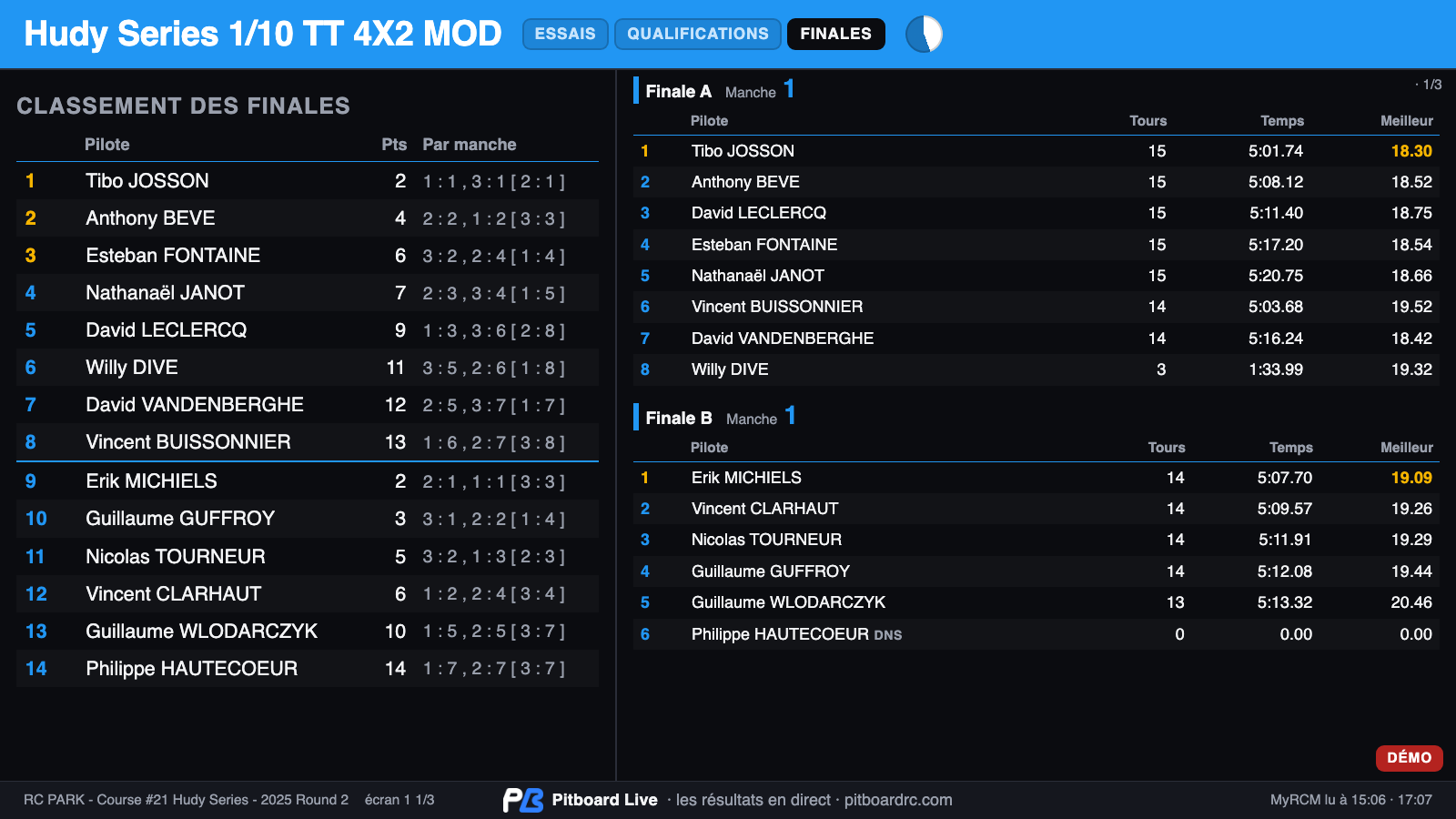
What a driver reads on the screen
The display is built to be read from two metres away, standing, holding a car. Everything fits on one page. Nothing scrolls, because moving text is unreadable from a distance.
From one screen to eight
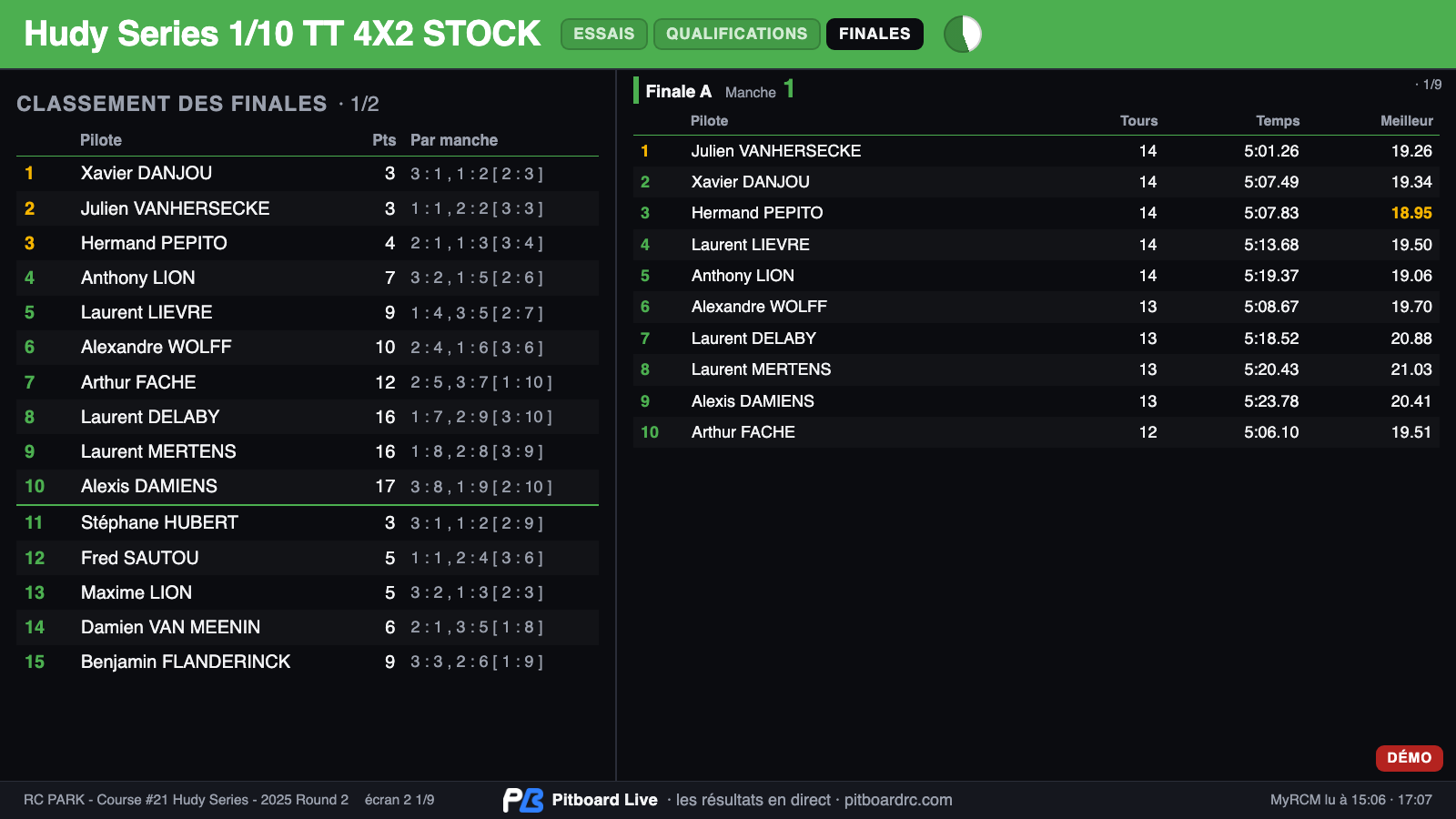
You decide how many screens you plug in, from one to eight. Then you say, in the club's admin area, which categories go on which screen.
A club running three categories can give each one its own screen. Every screen stays on its category, and the drivers know where to look. At RC Park, six screens share the day at the club entrance.
With a single screen, nothing is lost. The page rotates through the categories, in order, for as long as you decide. A dial in the header shows the time left before the next page.
Checking qualifying during the finals
Every category keeps all of its phases available, from morning to night. Qualifying does not disappear when the finals begin.
On the screen you navigate with the keyboard, the mouse, or a finger on a tablet. The arrows move from one category to another and from one phase to another. The automatic rotation stops while you look, then resumes on its own after a few minutes.
That is what paper cannot do. On a board, the qualifying sheet ends up covered by the finals one.
And on the drivers' phones
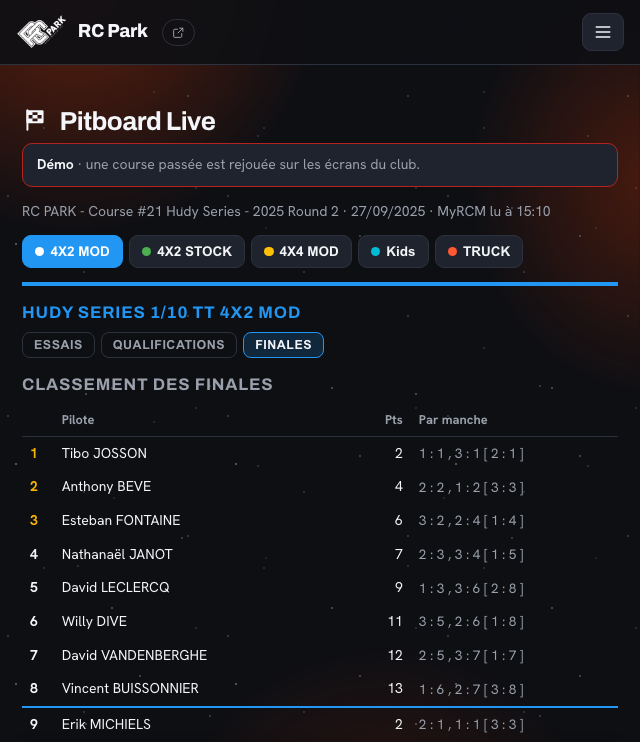
Club members find the same day on their phone, inside the club's space. A driver in the pits sees their heat's ranking without crossing the track. A parent who stayed home follows their child's race.
The page refreshes on its own and remembers the tab you opened. Close it, open it again, and you land back on your category.
Open the demonstration club's phone view
The difference with MyRCM
A fair question, and the answer fits in one sentence: Pitboard Live does not replace MyRCM, it reads it. MyRCM times your race and publishes the results. It is the source, and it stays the source.
For screen display, rc-timing offers RCM Publisher VGA: a Windows program, installed on a club PC, which shows the current ranking list. Pitboard Live starts from somewhere else. There is nothing to install, and the screen belongs to your club, not to a piece of software.
What MyRCM already does
- It times the race and works out the rankings. That is its job, and Pitboard does not interfere with it.
- It publishes a public page per event. Anyone can open it, your drivers included.
- It offers a Windows program for a monitor, to be installed on a club PC.
What Pitboard Live adds
- From one to eight screens, each with its own categories. A web page, nothing more.
- No installation and no dedicated PC. On race day, the thing that breaks down is usually the PC.
- Every phase stays readable, so you can look back at qualifying during the finals.
- Your colours and your language. The display exists in six languages, and follows your club's.
- Your members' real names, taken from your own records and not from the timing label.
- Inside your club's own space, alongside the weekly ranking, the track records and the championship.
- Going back to normal is automatic one hour after the last heat.
Let us be honest on one point: MyRCM event pages are already public, and a driver can open them on their phone. That is not where the advantage lies. It lies in the fact that you install nothing, print nothing, and everything happens at your place.
After the prize giving
Once the race is over, some of the drivers stay at the club to practise. The screens then show an hour of overall ranking, long enough for everyone to have seen the day's result.
Then they go back to their everyday display: the weekly ranking, the track records, the season championship. Without anyone unplugging a thing.
Getting a feel for it before the next race
The club's admin area includes a demonstration mode. It replays a past race on the screens, outside of any race day.
It is there for two things: showing the result to your committee before you commit, and quietly setting the colours, the categories and the display time. One click stops it, and the screens go back to normal.
And to see what it looks like right now, our demonstration club runs one in public. Open the demonstration screen
To go further
Frequently asked questions
Do we need to install any software at the club?
No, nothing at all. Each screen opens a web page and leaves it running. An old PC, a small box or a tablet will do, just like for the everyday display.
What timing system do you need?
RCM Ultimate, with the option that publishes results to MyRCM as the day goes. That option is what makes it work: without it, your results only arrive at the end of the race.
How often do the screens update?
Every two minutes, on race day. A heat ends, and the ranking reaches the screens within two minutes. At night, nothing runs.
How many screens can we plug in?
From one to eight. You decide in the admin area which categories go on which screen. At RC Park, six screens share the day at the club entrance.
What if we have more categories than screens?
One screen rotates through several categories, one after the other. You set how long each page stays up. A dial in the header shows the time left.
Can we look back at qualifying during the finals?
Yes. With the keyboard, the mouse or a finger on a tablet. Every category keeps all of its phases available. The automatic rotation resumes on its own after a few minutes.
Does it work with 1/8 nitro, brushless, on-road?
Yes. Pitboard shows the categories declared in your race, whatever they are. One colour per category, chosen by you, so they can be told apart at a glance on the wall of screens.
Does it replace MyRCM?
No, it reads it. MyRCM remains your timing system and your source of results. Pitboard Live is the display: as many screens as you want, with nothing to install, your colours and your members' real names.
Can members follow it from their phone?
Yes, on a dedicated page inside the club's space. A driver in the pits sees their heat's ranking without crossing the track. A parent who stayed home follows the day.
What happens after the prize giving?
The screens show an hour of overall ranking, then go back to their usual display. The drivers who stay on to practise find the weekly ranking again, all by themselves.
Your next race, without a printer
Pitboard Live is included with the club's site. You plug your screens in once, and never touch them again.